Consuming my data unnecessarily is what I don’t like with any device :D . iOS devices has a background app that runs and updates itself automatically which will be at the backyard consuming most of your data and battery life!
I found this out also in Android devices when I was using it but didn’t find it in Symbian :P :D
HOW CAN I DISABLE BACKGROUND APPS FROM RUNNING?
Well, its quite simple just that you haven’t taken your time to find it :)
- Goto Settings->General->Background App Refresh.
- Toggle off the Background App Refresh to turn it off.
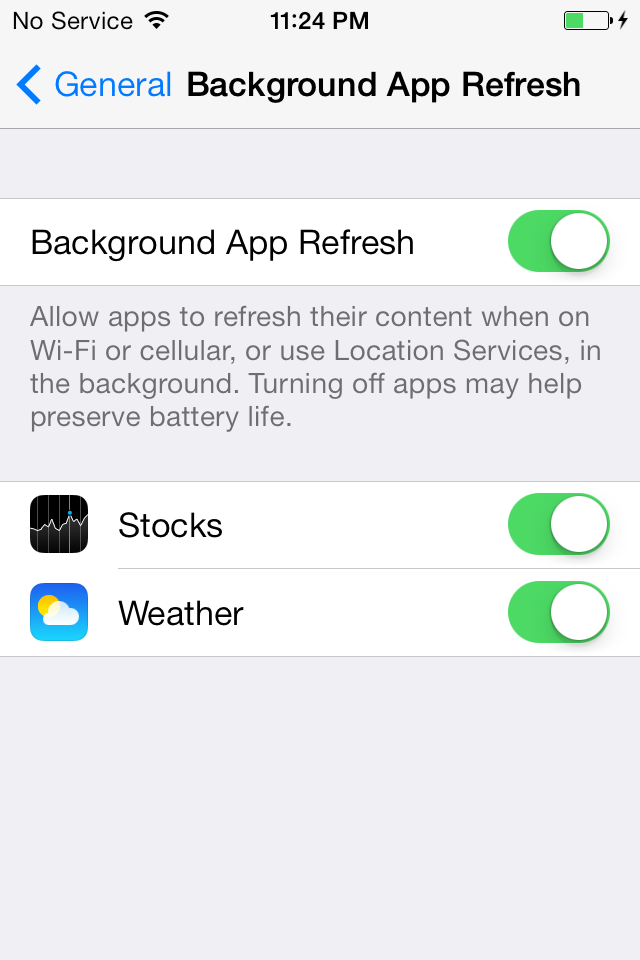
- If you’ve done that, you have successfully turned it off and save your future data and battery :)
Hope this helps :)


No comments:
Post a Comment