Few days ago I downloaded WhatsApp Messaging App for iOS 7, so happy and enjoying my chat I came to realize that I've got no smileys which is gonna make my chat so bored! :( I looked around my phone screen and even the sides to see if am gonna see a button for it :D but unfortunately, I didn't see a thing like that.
I quickly launch my UC Browser and made some googling, there I got to know how to enable it.
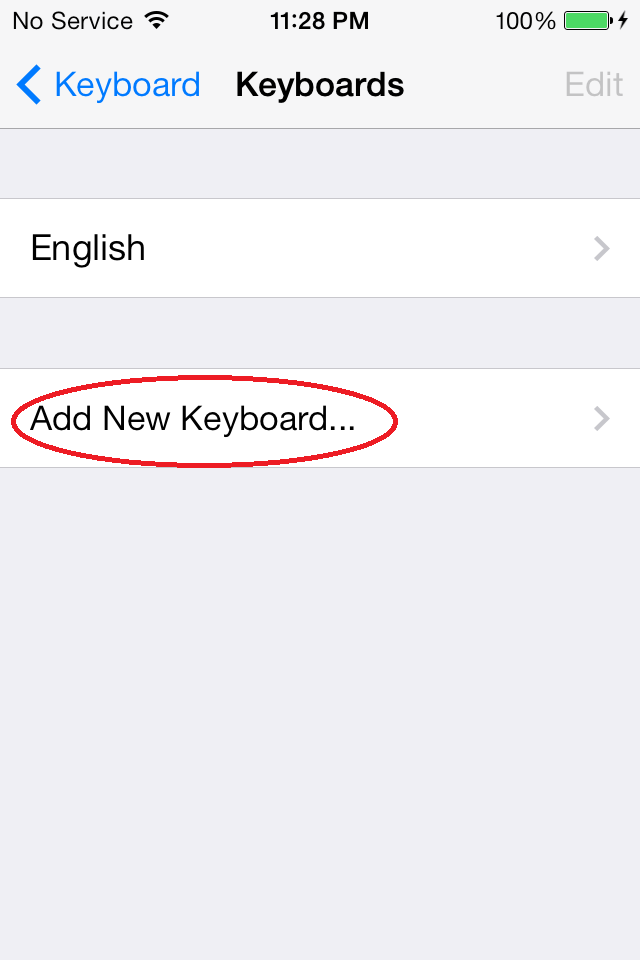
Now i opened my iPhone Settings-->General-->Keyboard-->Keyboards then I tapped Add New Keyboard
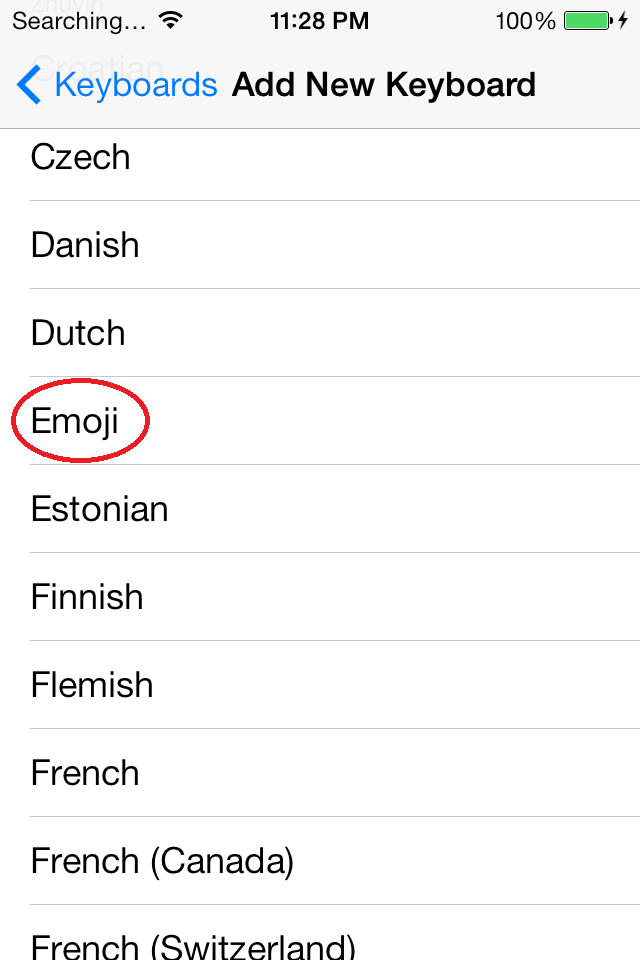
 Which gave me list of Keyboard languages to add, I then chose the Emoji
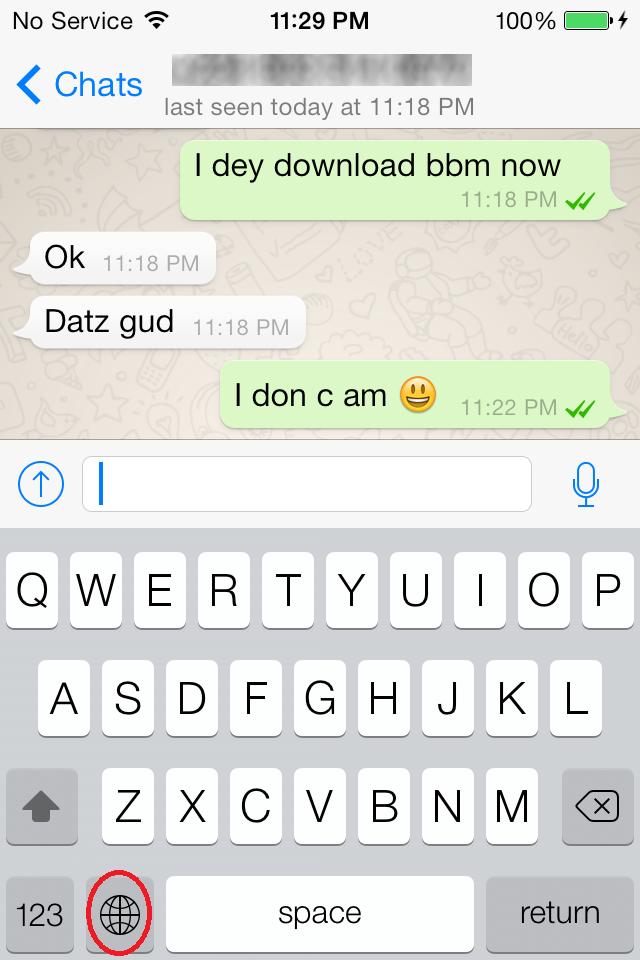
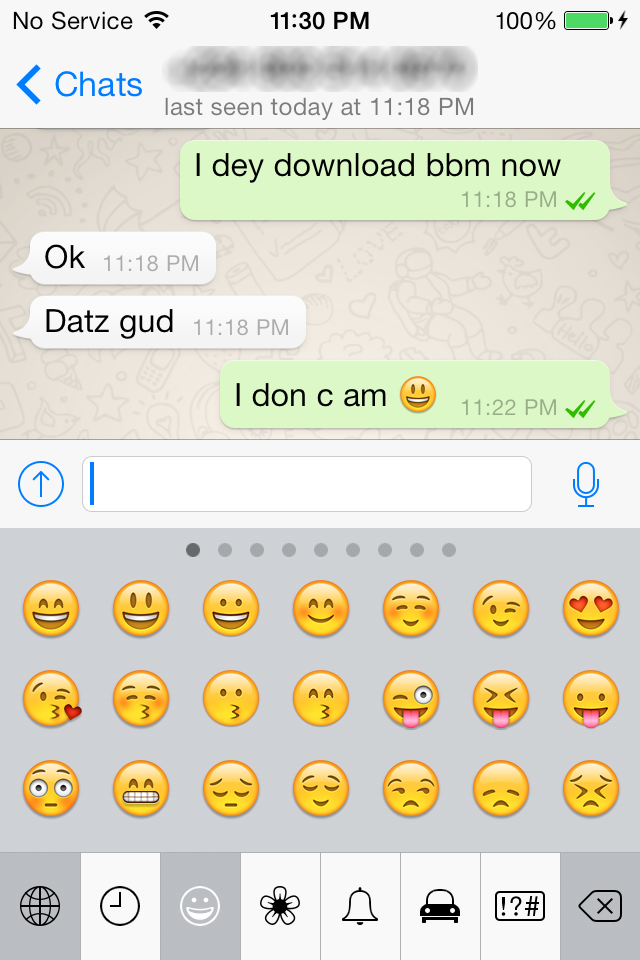
 When am done adding the Emoji, I then moved back to my WhatsApp and made a move to type something which the keyboard appeared then I tapped on the globe symbol to show me the smiley as shown below

And Yaaaaaaaaaaaahhhhhhhhhhhhhhhhoooooooooooo! I found my smileys and can use it
 This worked for me and should also work for you :)
I quickly launch my UC Browser and made some googling, there I got to know how to enable it.
Now i opened my iPhone Settings-->General-->Keyboard-->Keyboards then I tapped Add New Keyboard
And Yaaaaaaaaaaaahhhhhhhhhhhhhhhhoooooooooooo! I found my smileys and can use it


No comments:
Post a Comment