That moment you turn on your system which is currently running in Windows then you are unable to connect to http://localhost/phpmyadmin, you try starting your MySQL server but seeing this message MySQL shutdown unexpectedly.
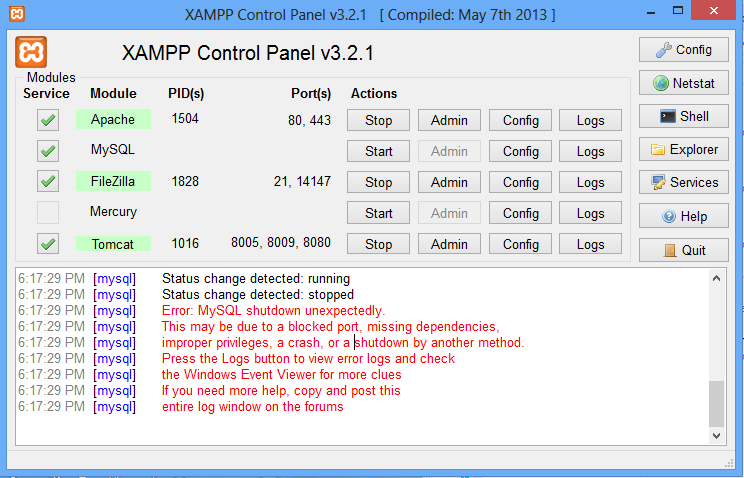
I know by then your mind is running back to "What was the last thing I did or last software I installed before turning off the PC?". Don't need to worry about all those stuffs, it isn't your fault in anyway :) . Easy way to get rid of this is:
- Exit XAMP Control Panel then navigate to C:\xampp\mysql\data directory
- Delete the ibdata1 file in that directory
- Restart XAMP Control Panel
Everything should now work like magic :)


No comments:
Post a Comment